Student QR Codes for ID Cards and School Bags: What to Include (and What Not To)
A small QR code can get a lost child home faster or help a teacher in an emergency. Here's what to put on it, what to keep off it, and how to make one in a minute.
In this article ▾
A school bag left on a bus, a child who feels unwell on a trip, a new student who can't remember a parent's number — these everyday moments are exactly where a student information QR code helps. One scan with any phone shows the student's name, school and an emergency contact, even without internet. This guide covers what to include, what to leave off for privacy, and how schools and parents can make these codes for free.
How a student QR code works
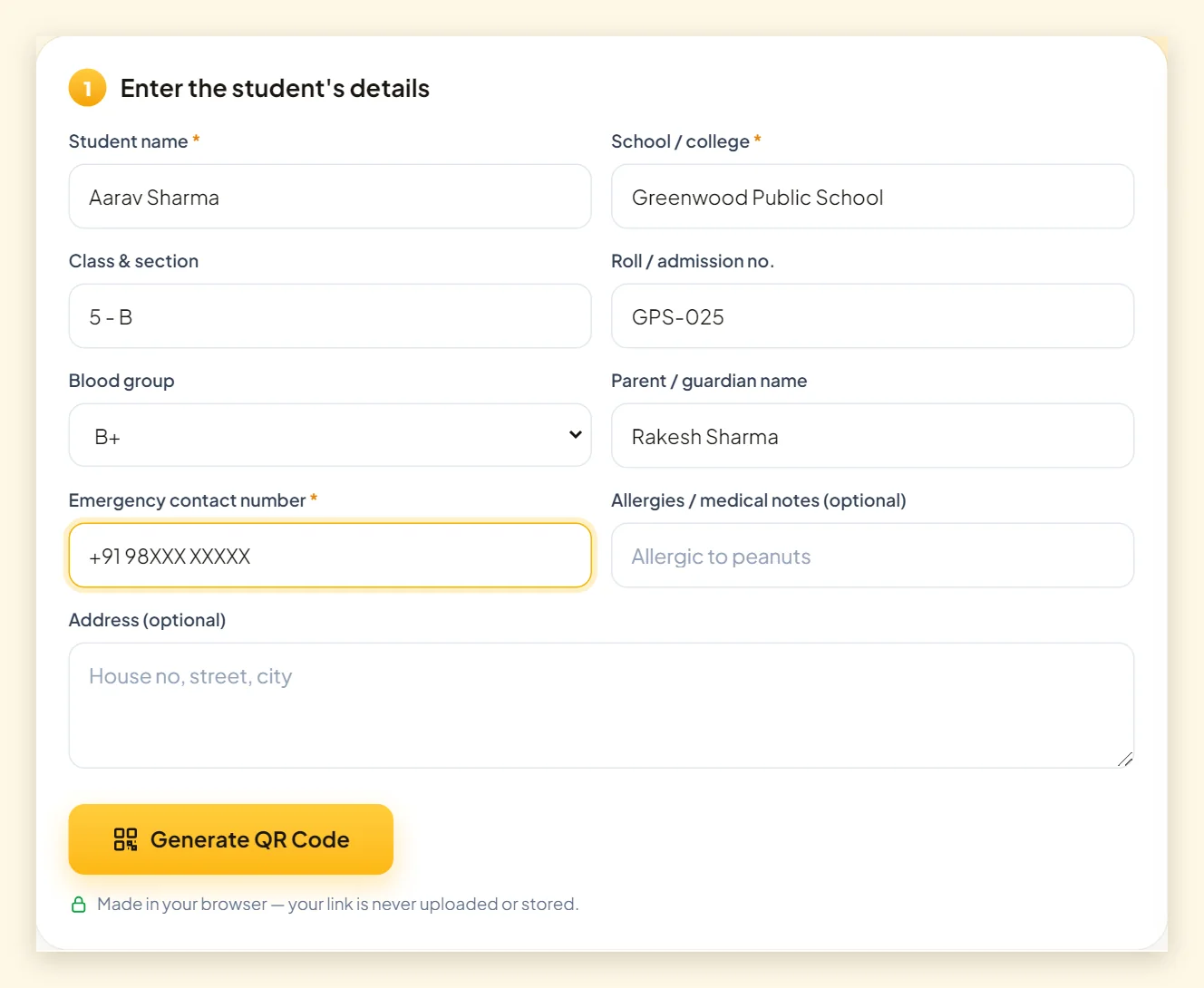
PaperBee's student information QR code generator stores the details as plain text inside the code. When someone scans it, their phone shows a short card like this:
STUDENT INFORMATION · Name: Aarav Sharma · School: Greenwood Public School · Class: 5 - B · Blood Group: B+ · Emergency Contact: +91 98XXX XXXXX
Because the information is inside the code, there's no website to load and nothing stored on a server. On most phones the phone number is tappable, so the person can call a parent in one tap.
What to include on a student QR code
| Detail | ID card | School bag / bottle | Trip badge |
|---|---|---|---|
| Student name | Yes | Yes | Yes |
| School name | Yes | Yes | Yes |
| Class & section | Yes | Optional | Yes |
| Roll / admission no. | Yes | No | Optional |
| Emergency phone (parent/school) | Yes | Yes | Yes (teacher in charge) |
| Blood group | Yes | Optional | Yes |
| Allergies / medical notes | If important | If important | Yes |
| Home address | Rarely | No | No |
The emergency number is the most important field
Use a parent's number or the school office number — not the child's own. For trips, a badge with the teacher-in-charge's number is often more useful than the parent's, because the teacher is nearby.
Short medical notes can save time
A line such as “Allergic to peanuts” or “Asthma – inhaler in front pocket” gives a first responder vital information immediately. Keep it short and factual.
What to leave off: privacy first
Anyone who scans a static QR code can read everything inside it. A school bag travels through buses, streets and public places, so it deserves less information than an ID card that stays around the child's neck inside school.
- Skip the home address on bags, bottles and outdoor items.
- Skip the date of birth unless your school specifically needs it.
- Share the minimum — name, school and one emergency number are usually enough.
- Ask parents first if the school is printing codes, and let them choose the contact number.
How to make a student QR code
- Open the student information QR code generator.
- Enter the student's name, school and emergency contact number (required).
- Add class, roll number, blood group, parent's name, medical notes or address only if needed.
- Click Generate QR Code, choose a theme (school colours work well) and download.
- Scan the printed code to check the details are correct.
Making QR codes for a whole class or school
The student QR page makes one code at a time, which is perfect for parents and small batches. For a whole school, PaperBee's ID card generator creates complete student ID cards — photo, details and QR code — from a single Excel sheet, ready to print on PVC cards. See our ID card guide for the exact columns.
Where to put student QR codes
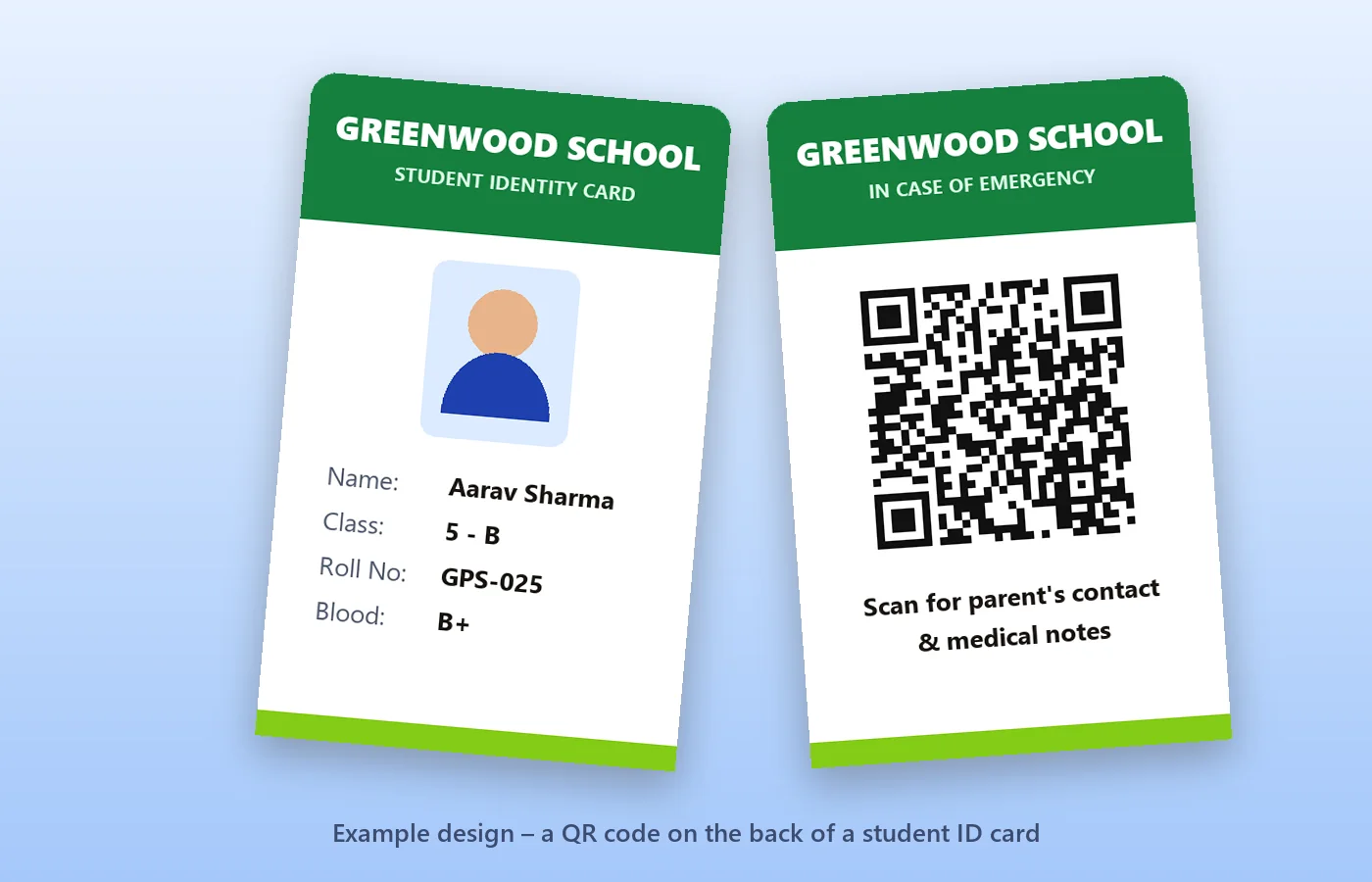
- ID cards – on the back, at least 2 × 2 cm.
- School bags – a waterproof label inside the front flap.
- Tiffin boxes and water bottles – small labels with name, class and school only.
- School bus passes – with the bus number and a parent's or school contact.
- Trips and sports days – badges or wristbands with the teacher-in-charge's number.
Make sure codes are printed large enough and with good contrast — our QR code printing guide explains sizes and lamination for labels that get wet or scratched.
What if the details change?
A static student QR code can't be edited after printing, because the details are part of the pattern. When a phone number changes or a student moves to a new class, simply generate a new code — it takes under a minute — and replace the label. Learn more in static vs dynamic QR codes.
Summary
A student QR code is a small, practical safety tool. Include the name, school and an emergency number; add medical notes if they matter; leave off the home address on anything that leaves the school. Print it clearly, test it once, and use the ID card generator when you need cards for a whole school.
Frequently asked questions
Does a student QR code need the internet?
No. The details are stored inside the code, so a phone shows them instantly even without mobile data.
Where is the student's information stored?
Only inside the QR code you download. PaperBee generates it in your browser and never stores the details.
Should I put the home address on a school bag QR code?
We recommend not to. Bags travel through public places; the name, school and a parent's number are usually enough.
Can I make ID cards with QR codes for a whole class?
Yes — use PaperBee's ID card generator, which creates cards with photos and QR codes from an Excel sheet.
Can I edit the QR code after printing?
No. Generate a new code with the updated details and replace the printed label.
Written by the PaperBee Team
We build free tools that help schools, shops and organisers create professional documents — from QR codes to ID cards and certificates.