QR Code Printing Guide: Size, Contrast, Paper and Testing
Most QR code failures happen at the printer, not on screen. Here's the size rule, the right file format, paper and lamination choices, and a five-minute checklist before you print in bulk.
In this article ▾
A QR code that scans perfectly on your laptop screen can fail on a glossy poster, a small sticker or a dimly lit restaurant table. Most QR code problems happen at the printing stage — wrong size, low contrast, a cropped border, a blurry file. This guide gives you the rules that matter and a checklist to run before you print hundreds of copies.
How big should a printed QR code be?
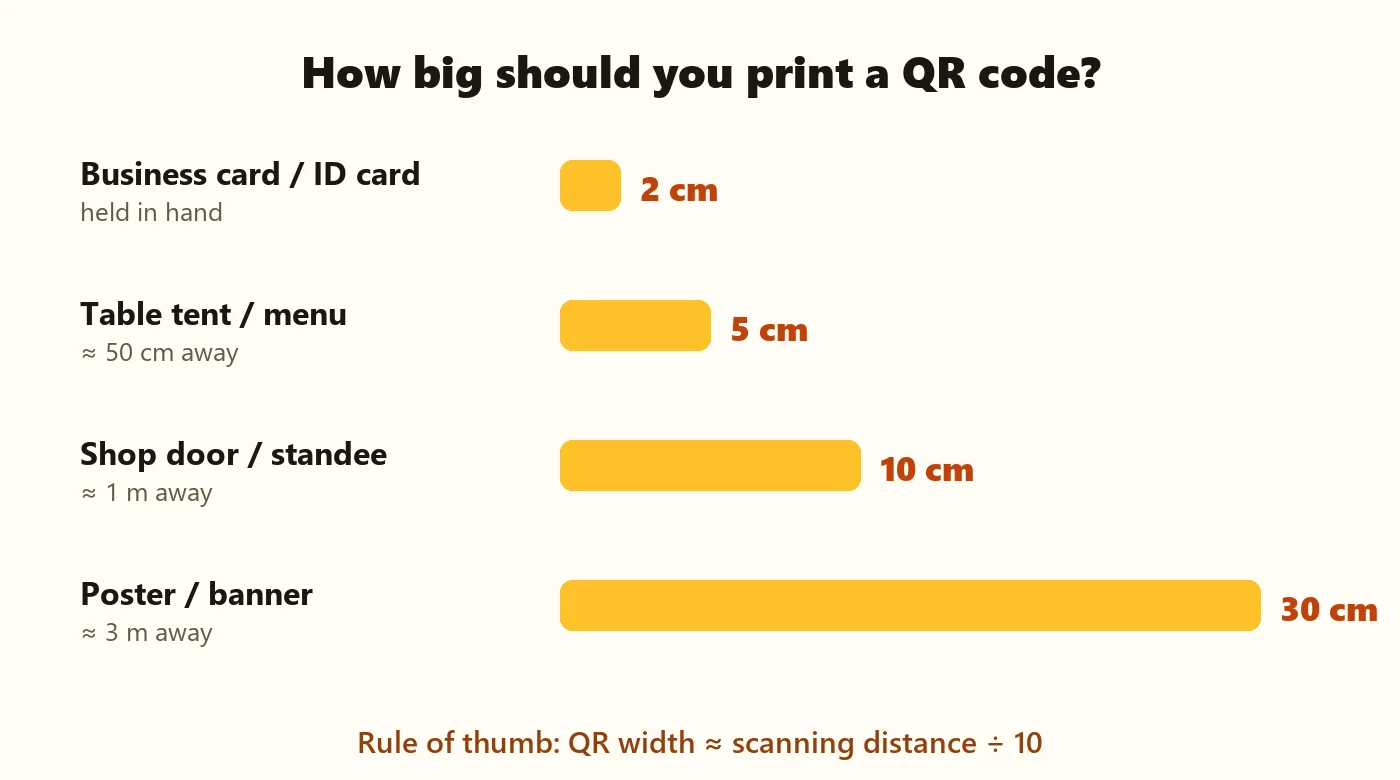
The simplest rule: QR code width ≈ scanning distance ÷ 10. Someone scanning from 1 metre away needs a code about 10 cm wide; from 3 metres, about 30 cm. Never go below 2 × 2 cm, even on business cards.
| Where it's printed | Typical distance | Minimum width |
|---|---|---|
| Business card, ID card, label | Held in hand | 2 cm |
| Table tent, menu, flyer | About 50 cm | 5 cm |
| Shop door, counter standee | About 1 m | 10 cm |
| Notice board poster | 1–2 m | 15–20 cm |
| Banner, hoarding, standee at an event | 3 m or more | 30 cm or larger |
Denser codes need more space
The more content in a static code, the more modules it has — a long URL, a detailed event or a big block of text makes the pattern denser. For dense codes, go one size up. Shorter links make smaller, easier codes.
Contrast: dark on light, always
Cameras need a strong brightness difference between dots and background. Dark navy, black, deep green, purple or brown on white or cream are all safe. Pale yellows, light greys and pastel codes often fail — especially in dim restaurants or under warm lights.
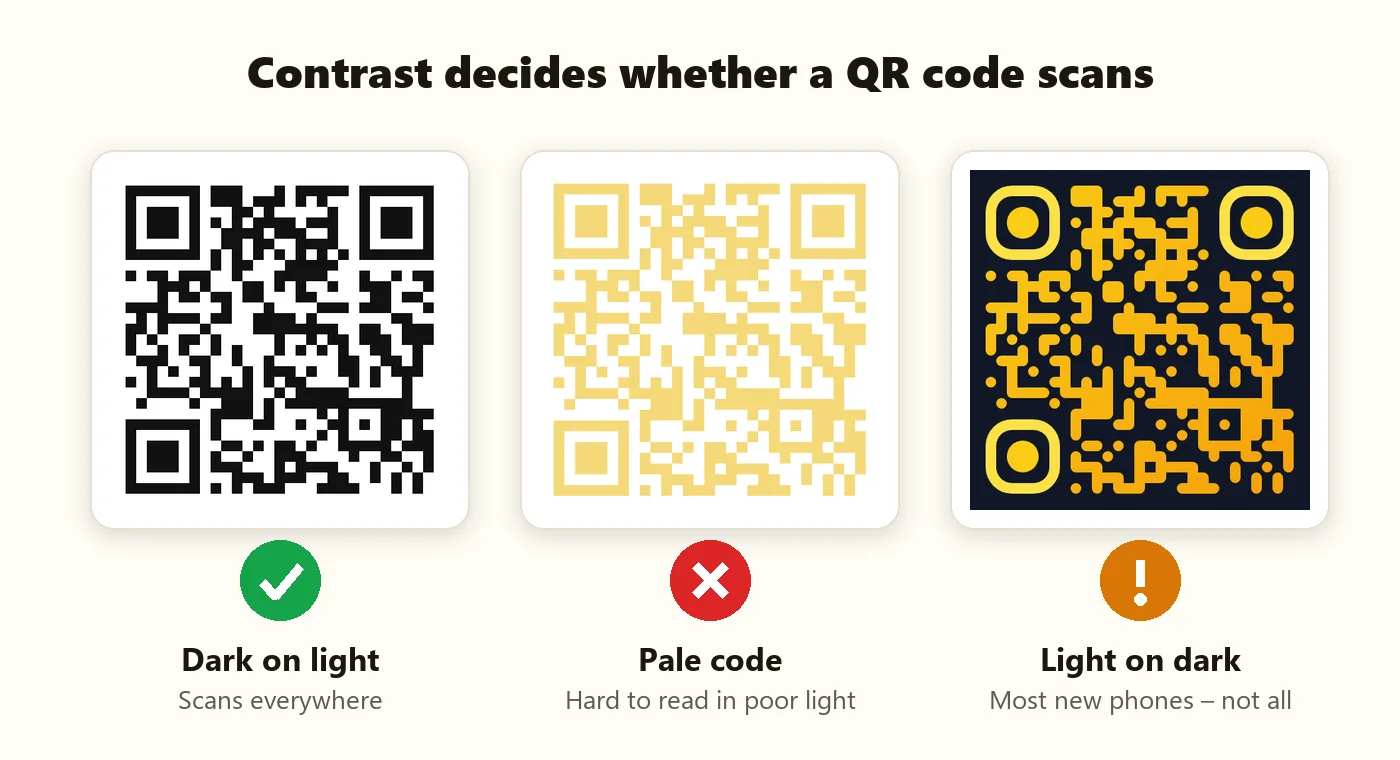
PaperBee's QR code generator checks contrast as you design and warns you about risky colours. For brand-colour advice, see custom QR code design.
Keep the quiet zone
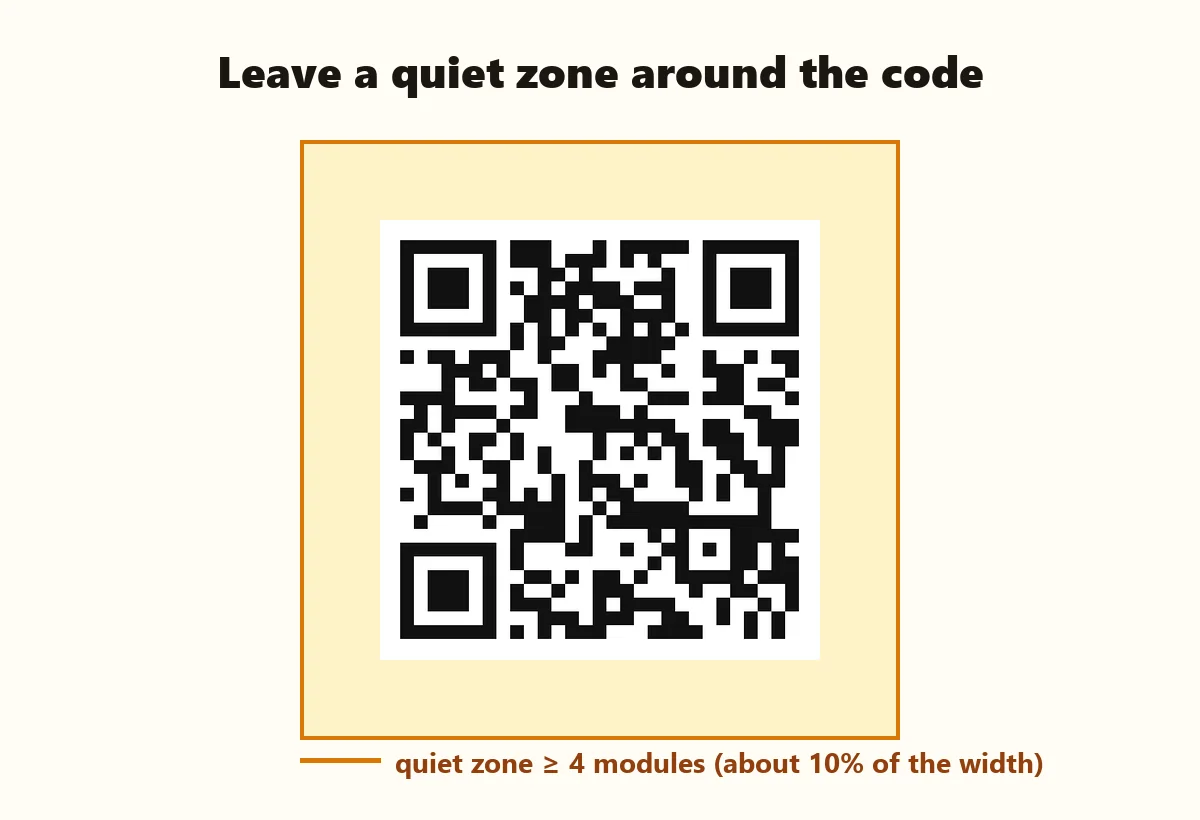
Every QR code needs a clear margin around it — the quiet zone — at least 4 modules wide (roughly 10% of the code's width). Scanners use it to find the code's edges. Designers often crop it to save space, or place the code right against a border or photo. Don't.
Use the right file: SVG for print
| File | Use it for | Notes |
|---|---|---|
| SVG | Anything printed | Vector: perfectly sharp at any size, from stickers to hoardings |
| PNG 2048 px | Home printing, Word, Canva | Sharp up to about 17 cm at 300 DPI |
| PNG 1024 px | Screens, WhatsApp, small prints | Sharp up to about 8 cm at 300 DPI |
| JPG | Only if the software needs it | Never stretch a small JPG — it blurs the edges |
Paper, lamination and placement
Matte beats glossy
Glossy paper and lamination reflect light, and a bright reflection across the code can block a scan. Choose matte paper or matte lamination for menus, table tents and standees.
Protect codes that get handled
- Table tents and menus — matte lamination survives spills.
- Vehicle stickers — vinyl or laminated paper; see vehicle QR stickers.
- School bag and bottle labels — waterproof label paper; see student QR codes.
- Outdoor posters — UV-resistant ink so the code doesn't fade.
Flat, bright and at eye level
Avoid curved surfaces like bottles and pillars where the code wraps around, place codes in good light, and put them where people naturally stop — at the counter, on the table, by the door, around eye level.
Tell people what the code does
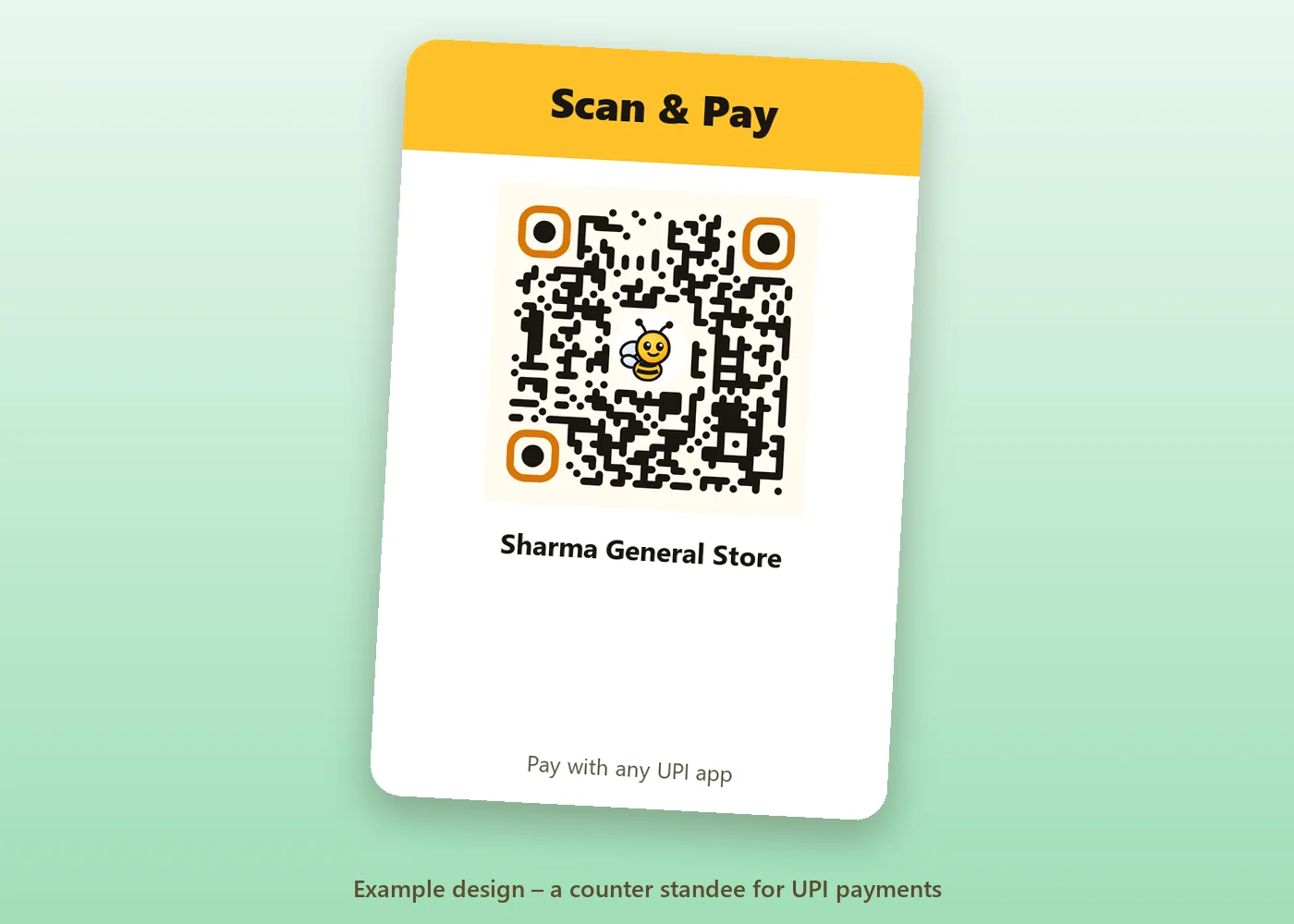
A QR code with no explanation gets ignored. Add a short line next to it: “Scan to pay”, “Scan to see today's menu”, “Scan to join Wi-Fi”, “Scan to add to your calendar”. It sets expectations and builds trust.
Pre-print checklist
- The content is correct: open the link or read the details after scanning.
- Contrast is strong: dark code on a light background.
- The quiet zone is intact on all four sides.
- The code is at least 2 × 2 cm — and sized for the scanning distance.
- You're using SVG (or a large PNG), not a stretched small image.
- A logo, if any, covers no more than about 30% of the code.
- You printed one proof and scanned it with two different phones, in the real lighting.
- There's a short call to action next to the code.
Summary
Printing QR codes that work is about a few simple habits: size the code for the scanning distance, keep dark-on-light contrast, protect the quiet zone, send the printer an SVG, choose matte materials, add a call to action, and test a printed proof. Start with how to create a QR code if you're new, or jump straight to the free QR code generator.
Frequently asked questions
What is the minimum size for a printed QR code?
About 2 × 2 cm for items held in the hand. Larger is better when people scan from a distance.
How do I calculate QR code size for a poster?
Divide the scanning distance by 10. A poster scanned from 2 metres needs a code about 20 cm wide.
Should I print QR codes from PNG or SVG?
SVG for printing, because it stays sharp at any size. PNG is fine for screens and small home prints.
Why doesn't my printed QR code scan?
Usually low contrast, a cropped quiet zone, too small a size, glare from glossy paper, or a blurry stretched image.
Can I print a QR code in colour?
Yes, as long as the code is clearly darker than its background. Test the printed proof before printing in bulk.
Written by the PaperBee Team
We build free tools that help schools, shops and organisers create professional documents — from QR codes to ID cards and certificates.