Vehicle Parking QR Sticker: Let People Contact You About Your Car or Bike
Stop the honking and the angry notes. A small QR sticker on your windscreen lets anyone reach you in one scan — here's how to make one that's useful and privacy-friendly.
In this article ▾
Every city driver knows the scene: you come back to find a car parked across your gate, or someone honking because your bike is blocking theirs. Usually the owner is a few metres away and would happily move — if only someone could reach them. A vehicle owner QR sticker solves this. Anyone can scan it with their phone camera and see your vehicle number, a polite message and a number to call.
How a vehicle QR sticker works
The vehicle owner QR code generator puts your details into the code as text. When someone scans it, their phone shows something like this:
VEHICLE OWNER CONTACT · Vehicle: MH12 AB 1234 (White hatchback) · Owner: Rahul Patil · Call: 98XXX XXXXX · Message: Please call me if my vehicle is blocking yours. Thank you!
On most phones the number is tappable, so calling you is one tap away. The details are stored inside the code itself, so it works in basement and underground parking where there's no mobile data — the person only needs a signal to make the call.
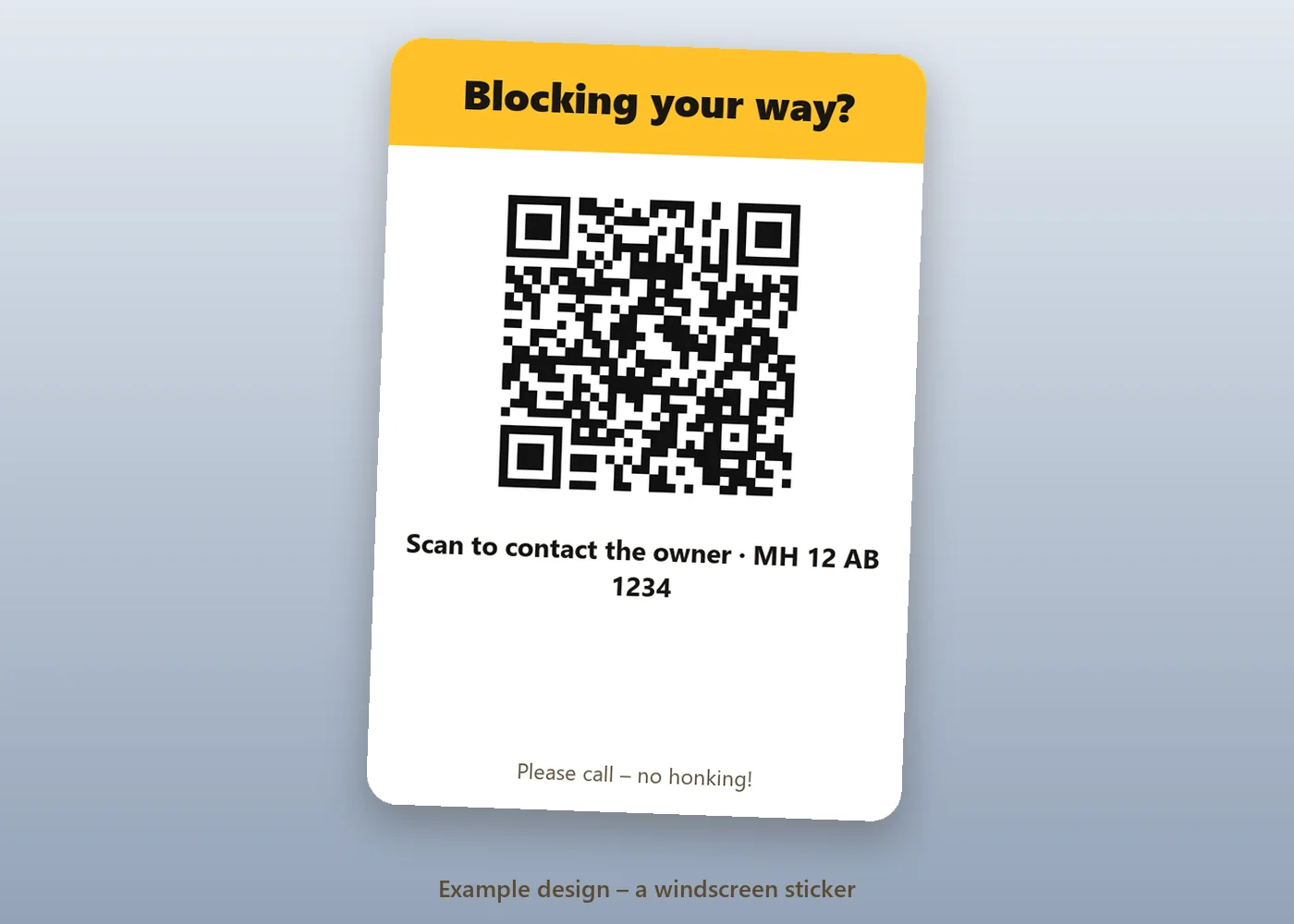
What to put on the sticker
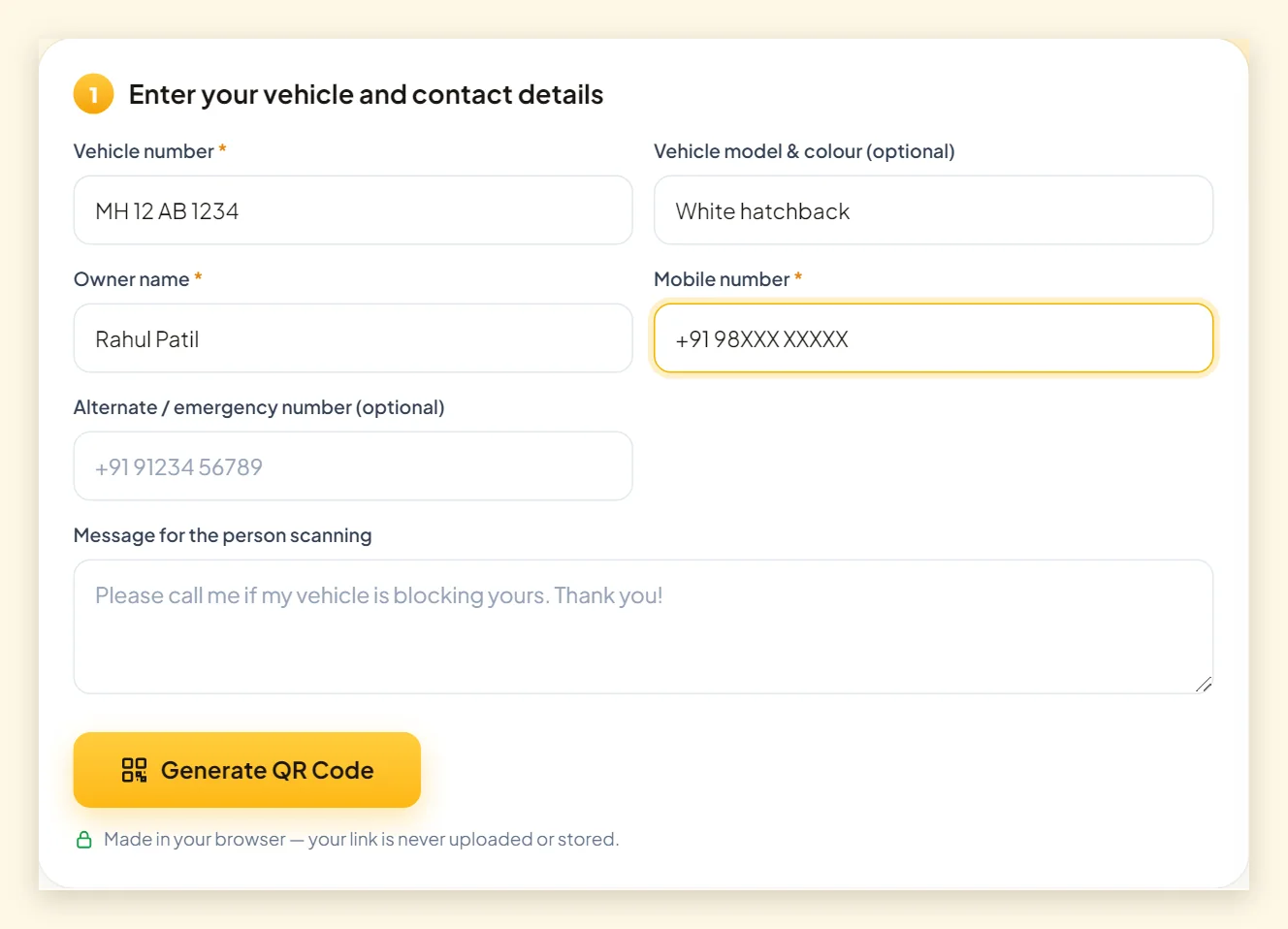
| Field | Required? | Tip |
|---|---|---|
| Vehicle number | Yes | Helps the person confirm it's the right vehicle |
| Owner name | Yes | A first name is enough |
| Mobile number | Yes | Consider a secondary number (see privacy below) |
| Model & colour | Optional | Useful in large parking lots |
| Alternate number | Optional | A family member, for when you can't answer |
| Message | Optional | A polite line sets the tone: “Please call — no honking!” |
How to make a vehicle QR sticker
- Open the vehicle owner QR code generator.
- Enter your vehicle number, name and mobile number. Add the model, an alternate number and a message if you like.
- Click Generate QR Code and choose a bold, high-contrast theme — Classic or Corporate Blue work best through glass.
- Download SVG for printing at a print shop, or PNG to print at home.
- Print at least 5 × 5 cm for cars (4 × 4 cm for bikes), laminate it and stick it up.
Privacy: think before you print your number
A static QR code is readable by anyone who scans it — that's what lets a stranger contact you. It also means your number is visible to anyone who walks past your vehicle with a phone. A few simple choices keep this balanced:
- Use a secondary number if you have one, or a family member's number.
- Skip your full name — a first name is enough.
- Never include your home address, office address or other personal details.
- Replace the sticker if you change your number; old stickers keep the old number.
Where to stick it
Cars
Inside the windscreen, at the bottom corner on the driver's side, is the most common spot: visible from outside, protected from rain, and out of your line of sight. A second sticker on the rear window helps when someone is blocked in behind you. Check that the code isn't behind a dark tint band — tint reduces contrast and can make scanning harder.
Bikes and scooters
Use a waterproof vinyl sticker near the number plate, on the front visor or on the side panel. Keep it flat — stickers on curved surfaces can distort the code.
Printing tips for stickers that last
- Size: at least 5 × 5 cm for cars so people can scan from a step away.
- Headline: add “Scan to contact owner” so people understand what it's for.
- Material: vinyl sticker paper or a laminated print survives sun and rain.
- Contrast: dark code on white. Avoid placing it on a dark sun-shade strip.
- Test: scan it from outside the car, through the glass, before you leave.
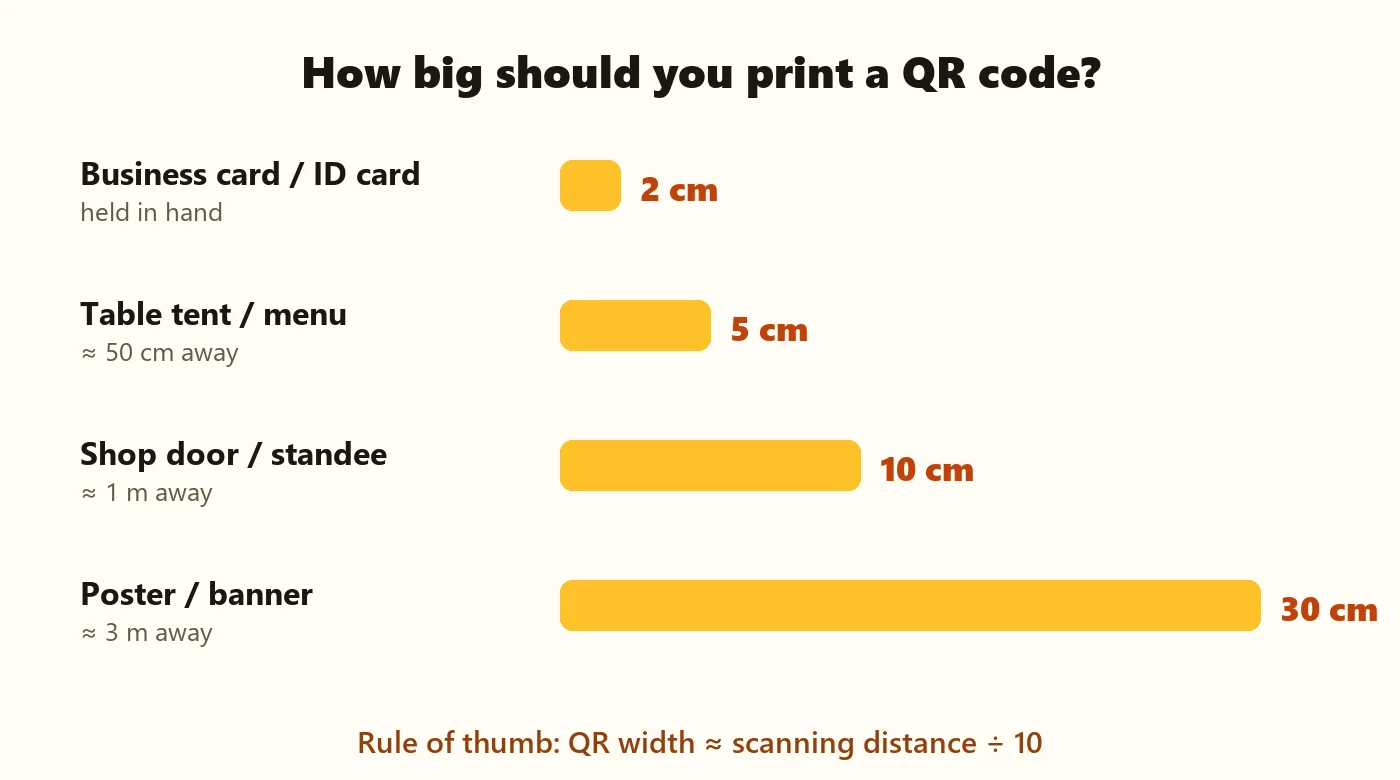
More detail in our QR code printing guide.
For housing societies, offices and campuses
Residents' associations, offices and colleges can issue stickers to every member's vehicle. Ask each owner to make their own code — that way, each person controls which number is shared. If you also issue photo ID cards to residents or staff, PaperBee's ID card generator creates them in bulk from an Excel sheet.
Summary
A vehicle QR sticker is a small courtesy that prevents a lot of frustration. Include your vehicle number, a first name and a number to call, add a polite message, and print it big and clear. Use a secondary number if privacy matters to you, and replace the sticker whenever your details change. Explore other everyday codes in how to create a QR code.
Frequently asked questions
Does the person scanning need an app?
No. The built-in camera on most iPhones and Android phones, or Google Lens, reads the code and shows your details.
Will it work in basement parking?
Yes. The details are inside the code, so it can be read without internet. Calling you still needs phone signal.
Is my phone number visible to everyone?
Yes, to anyone who scans it — that's how they can contact you. Use a secondary number if you prefer.
How big should the sticker be?
At least 5 × 5 cm for cars and about 4 × 4 cm for bikes, with a clear border around the code.
Can I update the number later?
Not on a printed sticker. Generate a new code with the new number and replace the sticker.
Written by the PaperBee Team
We build free tools that help schools, shops and organisers create professional documents — from QR codes to ID cards and certificates.